Project cantaloop - Infrastructure - hardening VM
Project cantaloop - Infrastructure - hardening VM
🌍 Project cantaloop - Infrastructure - hardening
Documenting steps when hardening the new VM. Goal is to block incomming traffic and allow outgoing traffic. Incomming traffic allowed on port 80, 442 and 22
Todo list
✅ Setup firewall.
✅ Adjust ssh security
✅ Setup brute-force protect
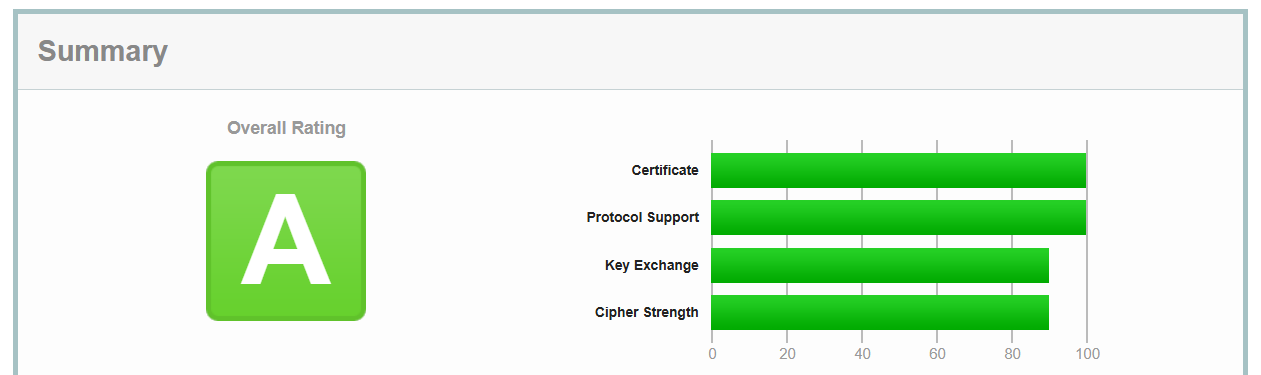
✅ Generate security report with SSL Labs
Setting up firewall
I am using ufw (Uncomplicated Firewal) on my linux server
Set rules
1
2
3
4
5
sudo ufw default deny incoming
sudo ufw default allow outgoing
sudo ufw allow ssh
sudo ufw allow http
sudo ufw allow https
Checking status before enable says nothing, instead I can verify setup by looking at rules files
1
2
3
4
sudo ufw status verbose

sudo cat /etc/ufw/user.rules
sudo cat /etc/ufw/user6.rules
Enable firewall
1
sudo ufw enable
Checking status now has info:
1
2
3
4
5
6
7
8
9
10
11
12
13
14
sudo ufw status verbose
Status: active
Logging: on (low)
Default: deny (incoming), allow (outgoing), disabled (routed)
New profiles: skip

To                         Action      From
--                         ------      ----
22/tcp                     ALLOW IN    Anywhere
80/tcp                     ALLOW IN    Anywhere
443                        ALLOW IN    Anywhere
22/tcp (v6)                ALLOW IN    Anywhere (v6)
80/tcp (v6)                ALLOW IN    Anywhere (v6)
443 (v6)                   ALLOW IN    Anywhere (v6)
Verify by exit current ssh session and start new ssh session
Disable direct root ssh login
Edit config /etc/ssh/sshd_config
1
2
3
4
5
sudo vi /etc/ssh/sshd_config
#edit and remove # from line
PermitRootLogin prohibit-password

sudo systemctl restart ssh
Install brute-force protect
1
2
3
sudo apt install fail2ban -y
local configuration file
sudo cp /etc/fail2ban/jail.conf /etc/fail2ban/jail.local
Check status:
1
2
3
4
5
6
7
8
9
10
11
12
13
14
15
16
sudo systemctl status fail2ban
[sudo] password for tom:
● fail2ban.service - Fail2Ban Service
     Loaded: loaded (/usr/lib/systemd/system/fail2ban.service; enabled; preset: enabled)
     Active: active (running) since Fri 2025-11-21 12:18:03 UTC; 2 days ago
       Docs: man:fail2ban(1)
   Main PID: 2527 (fail2ban-server)
      Tasks: 5 (limit: 9255)
     Memory: 33.6M (peak: 36.8M)
        CPU: 3min 56.327s
     CGroup: /system.slice/fail2ban.service
             └─2527 /usr/bin/python3 /usr/bin/fail2ban-server -xf start

Nov 21 12:18:03 cantaloop systemd[1]: Started fail2ban.service - Fail2Ban Service.
Nov 21 12:18:03 cantaloop fail2ban-server[2527]: 2025-11-21 12:18:03,614 fail2ban.configreader   [2527]: WARN>
Nov 21 12:18:03 cantaloop fail2ban-server[2527]: Server ready
💡 Run security report
🔭 To verify SSL certificate settings, domain settings and more
Use SSL Labs (https://www.ssllabs.com/ssltest/)
This post is licensed under CC BY 4.0 by the author.